

Fine I admit it, in case its not obvious I am a bit of a techhead and I love shiny things… The 2022 update for Windows 11 code named Sun Valley 2 has started rolling out to compatible devices.

Windows 11 22H2
What’s new?
Taskbar update
- The developers at Microsoft in their pursuit of revamping the user experience thought it would be a great idea to remove the ability to drag and drop files and folders to the TaskBar in favor of snap layouts… *News Flash* it was a terrible idea and they have corrected that oversight.
- Drag and drop is now supported on the Windows 11 taskbar. The developers seem to behave like politicians who create a problem where none exists then come up with a solution to the problem they created and pat themselves on the back for a job well done.
Snap layouts
- When you drag a window to the top of the screen you get pop up options of snap layouts to position or drop your window.
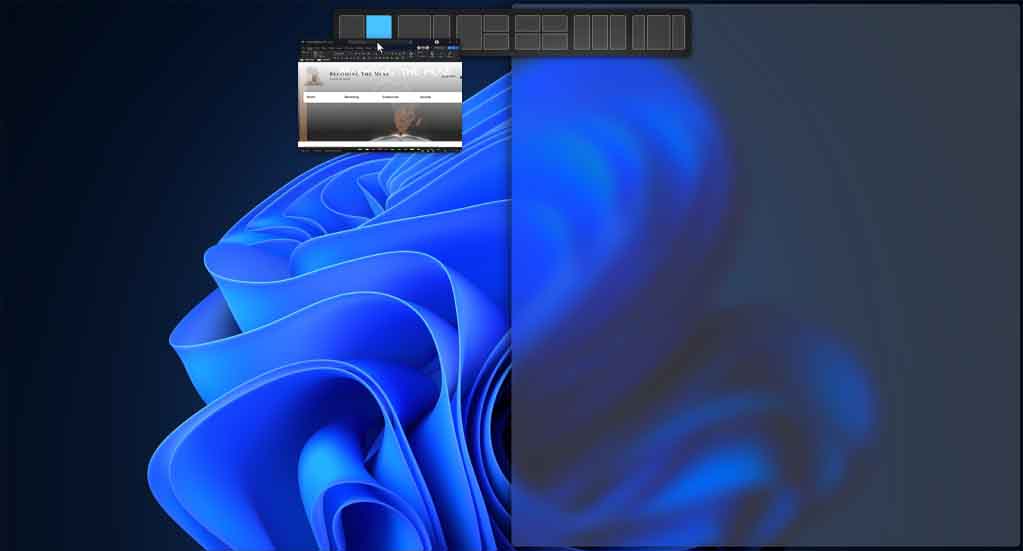
- If you press [Windows Key] + [Z] all the layouts will now show associated numbers, so you can quickly use the number keys to select the desired layout.

- You can still access the snap options by hovering mouse over the maximise button.
Taskmanager
The Taskmanager got a design upgrade, it looks more modern feel and automatically matches the system theme, eg. I use a dark theme.

They have also revamped a feature introduced as the Eco Mode to become the Efficiency Mode. This feature is helpful in managing applications consuming high resources so that the system gives priority to other apps leading to faster foreground responsiveness and better energy efficiency. You do get a popup warning that it may cause instability for certain processes.
Focus Mode
The focus mode has been re-imagined and made easier to start right from Notification Center (click on the time and date in the taskbar)
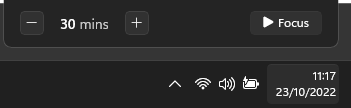
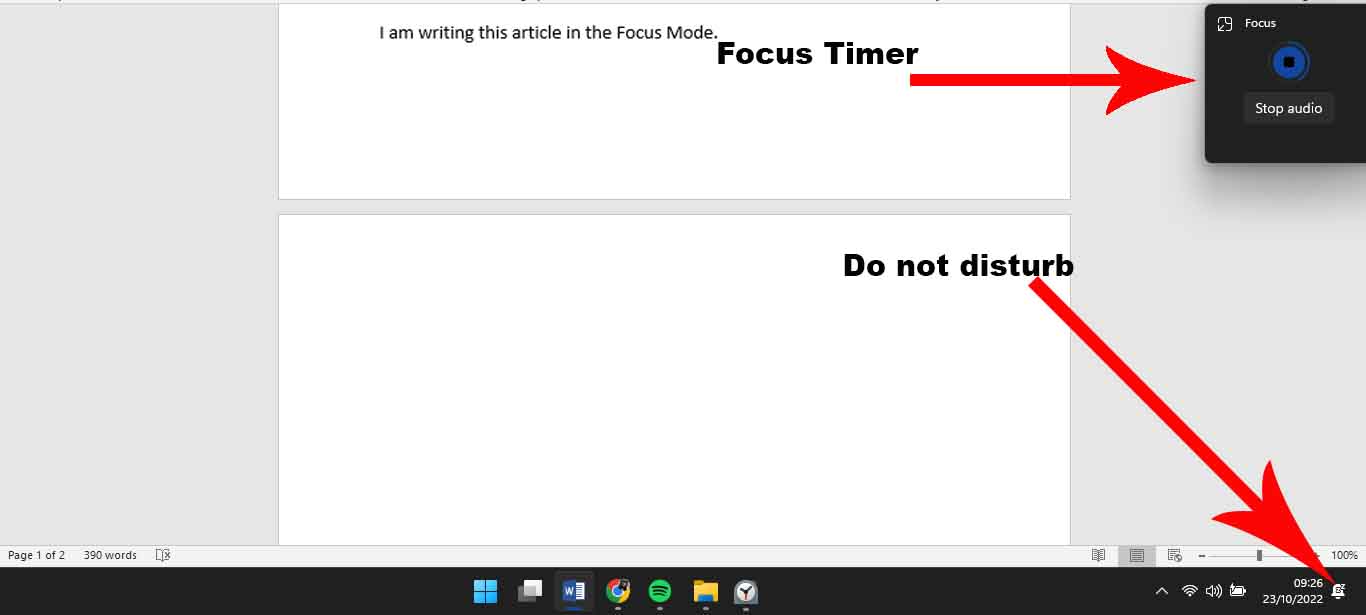
When focus mode is enabled the Do Not Disturb function turns on and task bar notifications will be off a focus timer will appear on screen.

There’s also an option to link with Spotify and have a calming playlist that helps you have deep focus. You can also sync with Microsoft To Do and keep track of the goals of the day which can be a great tool for bloggers who want to keep track of their content creation and scheduling.
I am writing this article in the Focus Mode.
Live Captions
Accessibility options got the upgrade which allow for captions on any media playing audio on the computer (currently only supports English) You can start the captions via the accessibility flyout options in the notifications tray or press [Windows logo key] + [Ctrl] + [L]
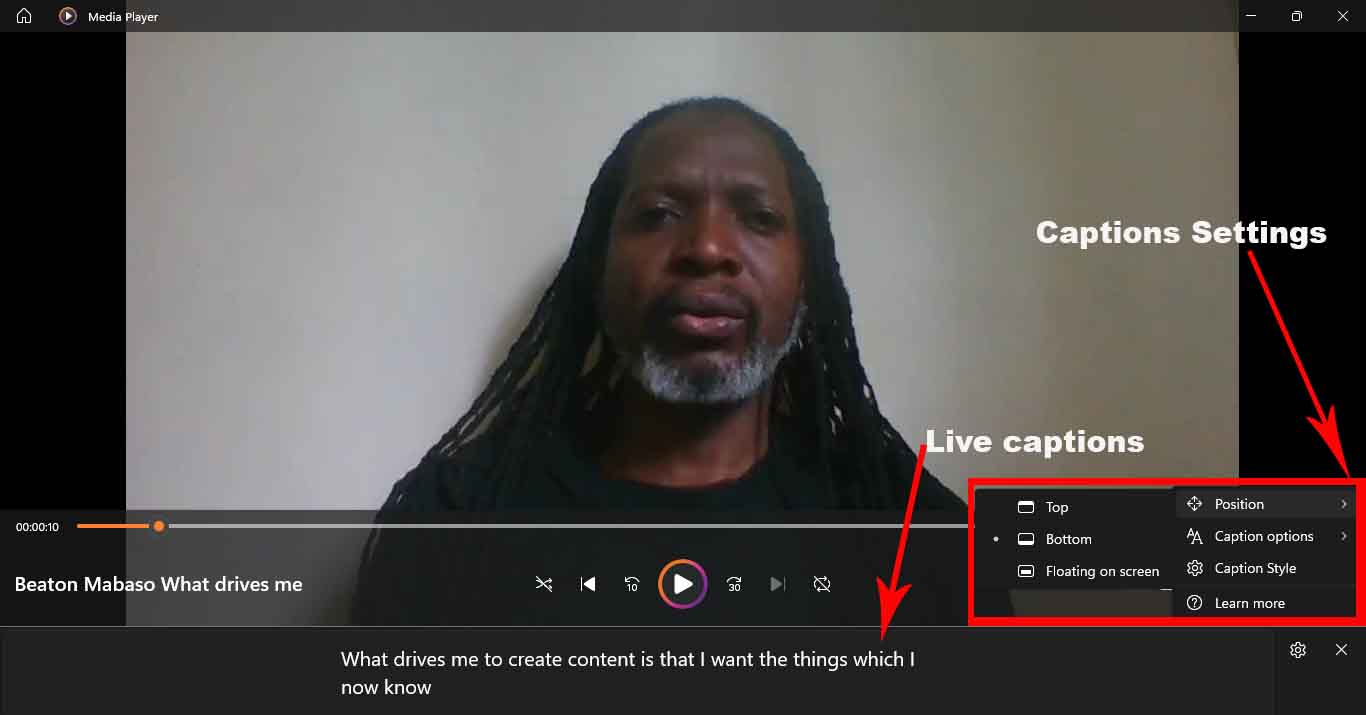
The captions are fairly accurate and work online and offline on podcasts, videos, meetings, recordings, although when you first run the live captions you will need to download some updates.
Clipchamp
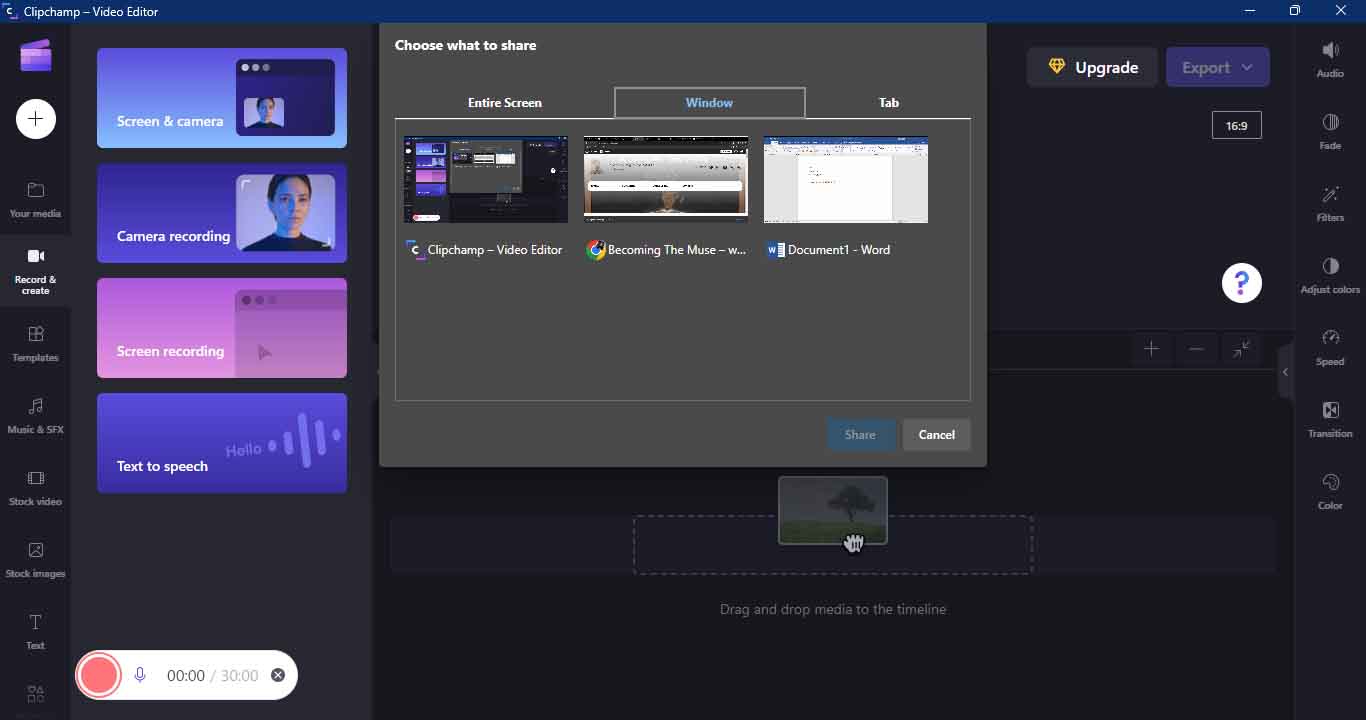
Windows 11 now comes with Clipchamp as the default video editor. Its quite a versatile and easy to use video editor which has decent free options for casual editing, although to get the really fancy extras, one would need to upgrade to the pro version.
What I liked most about it is that it comes with a Screen Recorder Function which allows you to capture not just your entire screen but can be narrowed down to a specific tab or application.
There’s a couple of other changes but those are mostly aesthetic than productivity for example having Spotlight Lock Screen images extended to Wallpaper, changing start menu layout to show either more pinned apps or recommended apps and the ability to group apps into folders.
Folders display thumbnails of contents

What remains unchanged?
The requirements for Windows 11 still stand, which basically render a pre-2017 machine unsupported in running Windows 11, mostly due to the security requirements for Windows 11 than actual ability to run Windows 11.

However there are workarounds to this and I was able to update my ineligible laptop from Windows 11 22H1 to the Windows 11 22H2 and it is working perfectly no issues or errors.
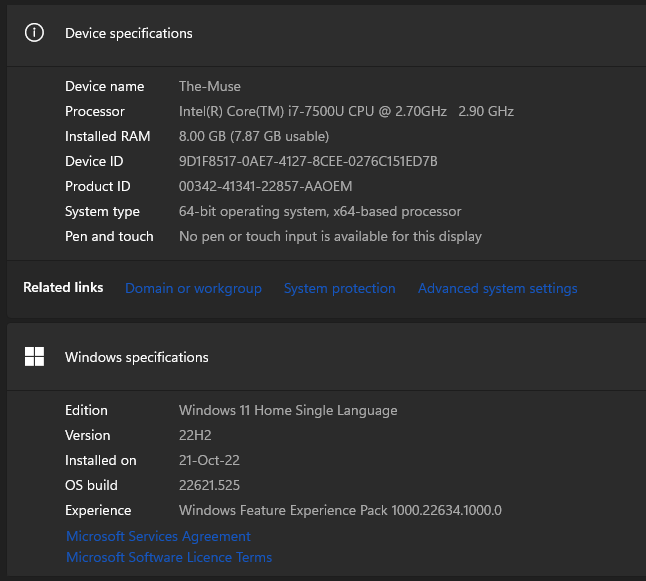
Have you updated to Windows 11 yet? What OS do you use on your computer?
¬B


 Becoming The Muse
Your thoughts.. if you will?